Since Wolfbook runs inside VS Code, every editor superpower comes for free — version control, split view, debugger, extensions, and full AI integration.
1
Rich LaTeX Rendering
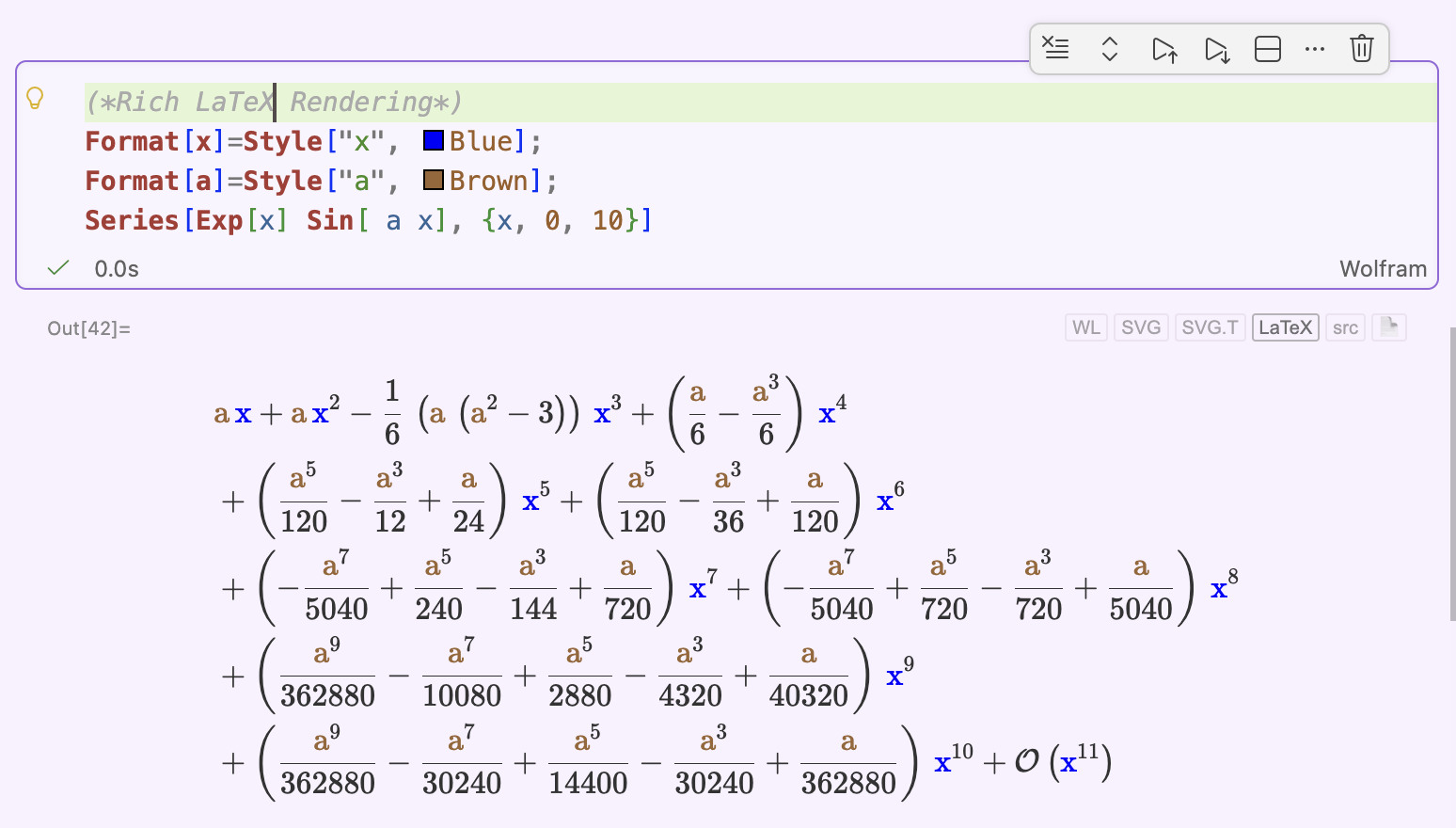
Wolfram outputs render as beautifully typeset LaTeX inline — paper-quality math, straight in the notebook with proper line breaks.
2
Abort Mid-Evaluation
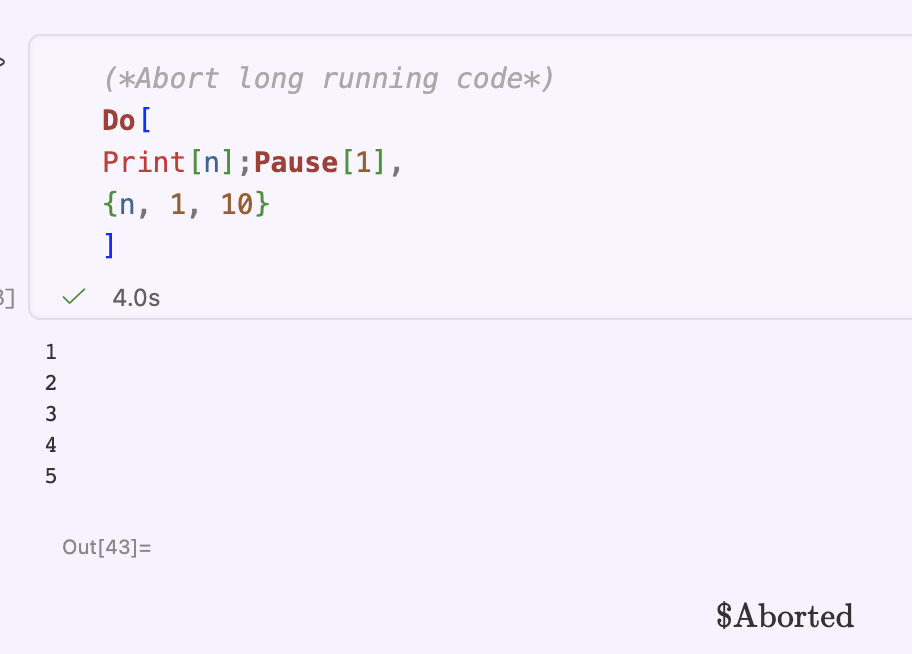
Stop a runaway computation instantly.
3
Split View
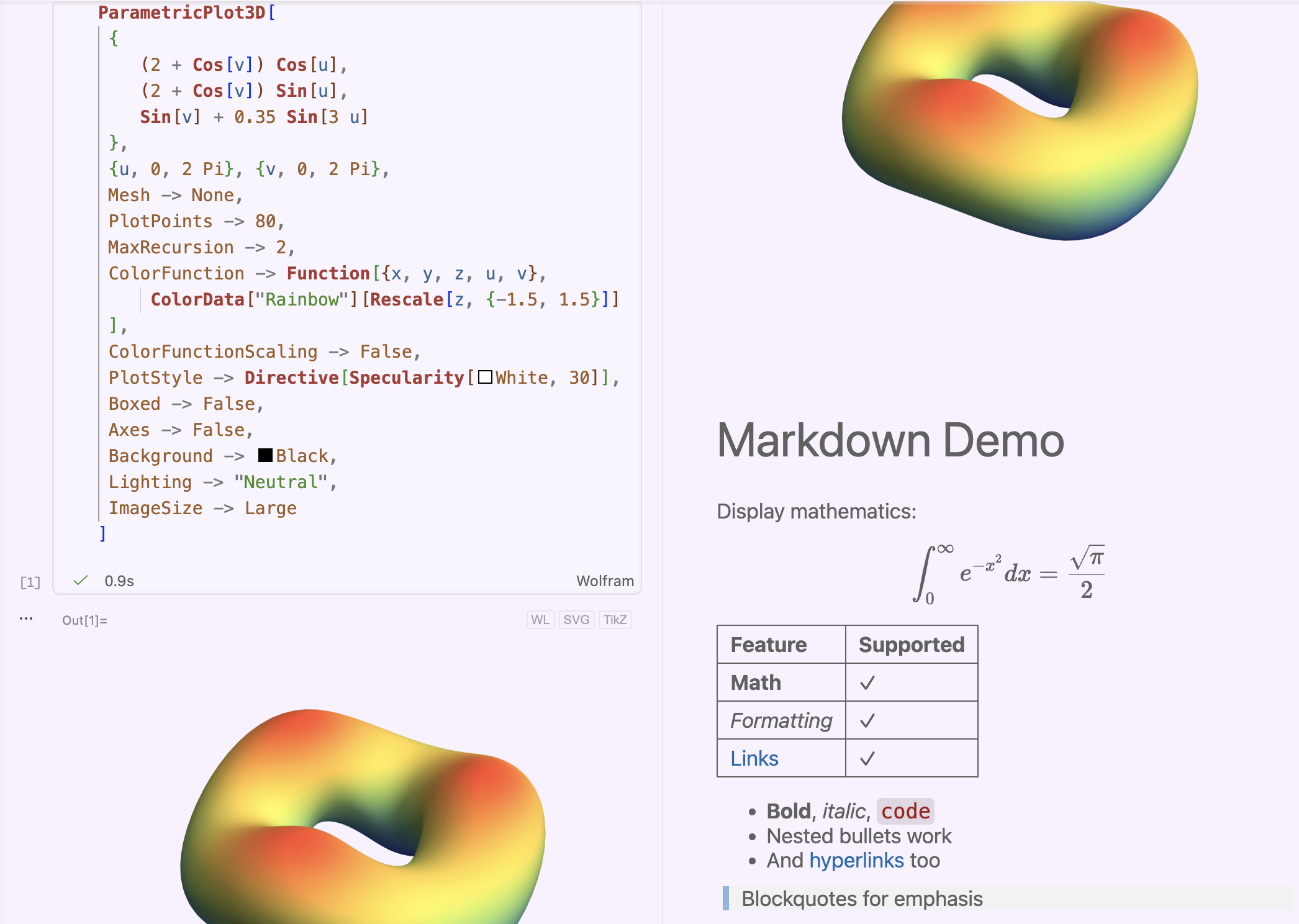
View the same notebook from two positions at once — standard in VS Code, impossible in classic Mathematica.
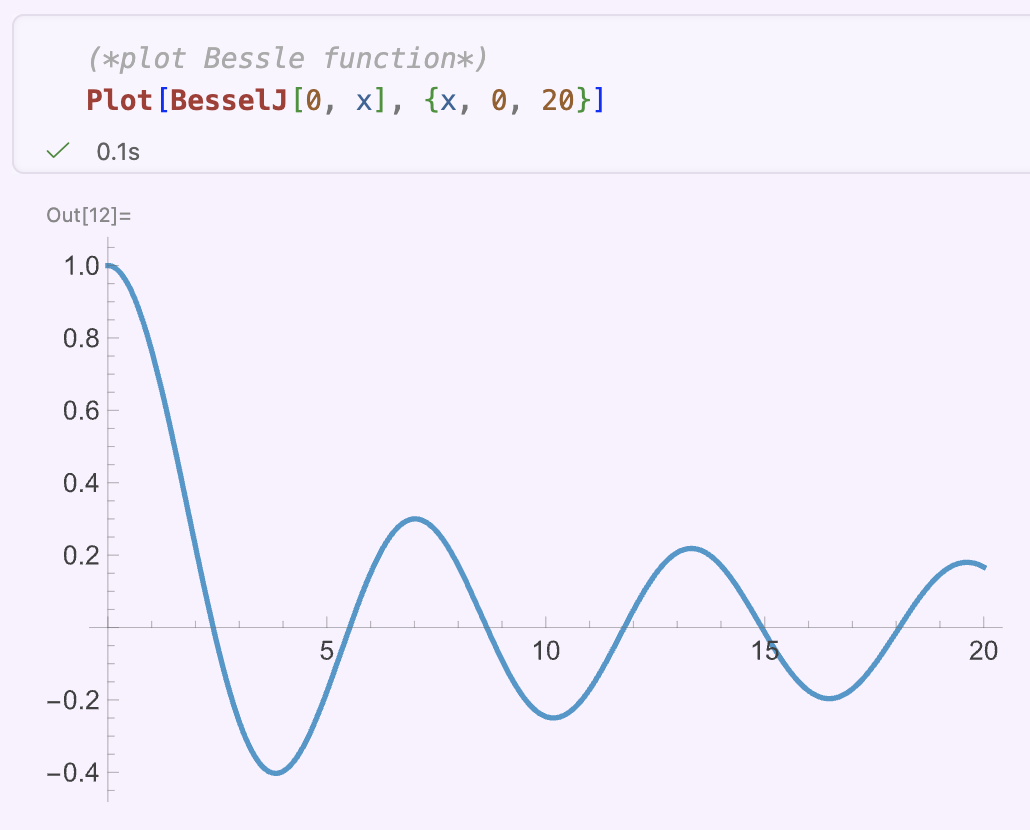
Ghost Text: AI Reads Your Context
Wolfbook exposes Mathematica code cells and text fields in AI-readable form. GitHub Copilot reads your comment, surrounding cells and outputs — then predicts the next code block instantly. No copy-paste, no context switching.
💬 Comment → ghost text suggestion
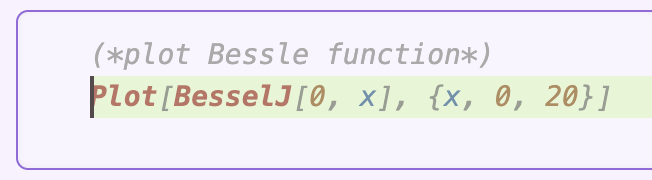
✓ Predictive input based on comment context — accepted with Tab
▶ Result: code runs correctly
Agentic AI — Live Kernel + Full Notebook Access
The most transformative feature: AI agents can read, execute code, and reason over your entire Wolfbook notebook — cells, outputs, and text — using the live Wolfram Language kernel. Your mathematical work becomes interactive AI collaboration.
🔵 User defines a task in a notebook cell
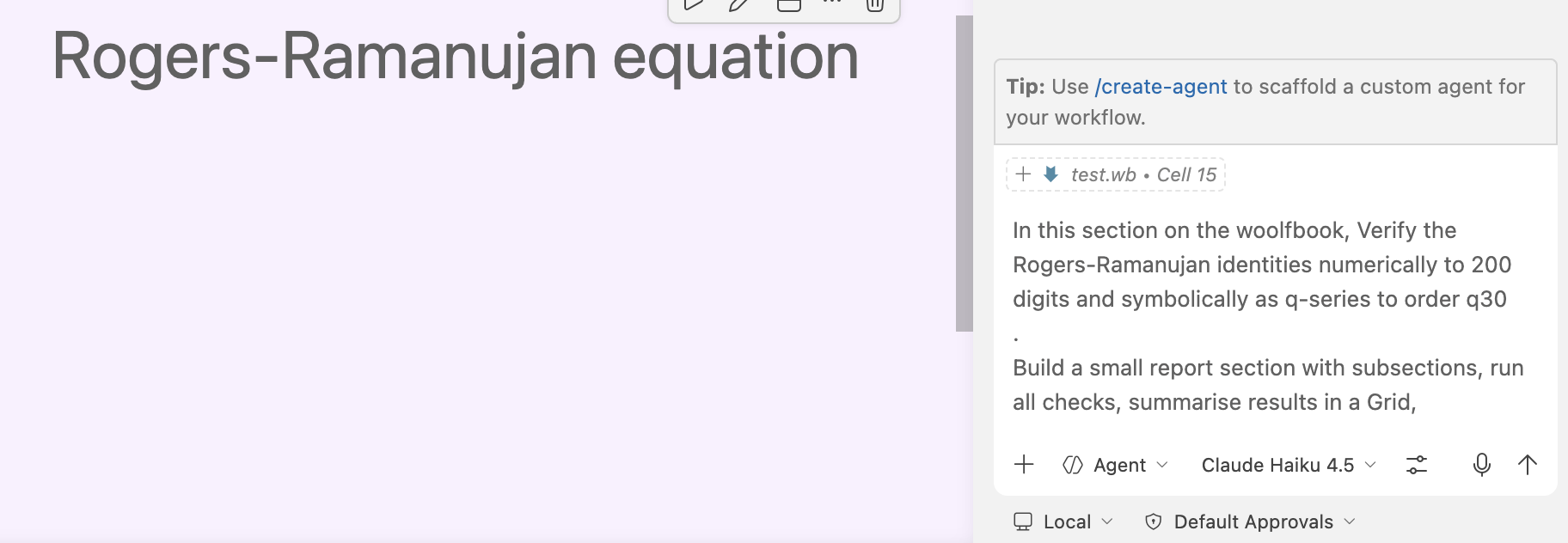
🤖Agent reads the notebook, writes & executes Wolfram code, verifies results, and delivers a structured summary — autonomously.
🟢 Claude Haiku 4.5 — Full Agent Output
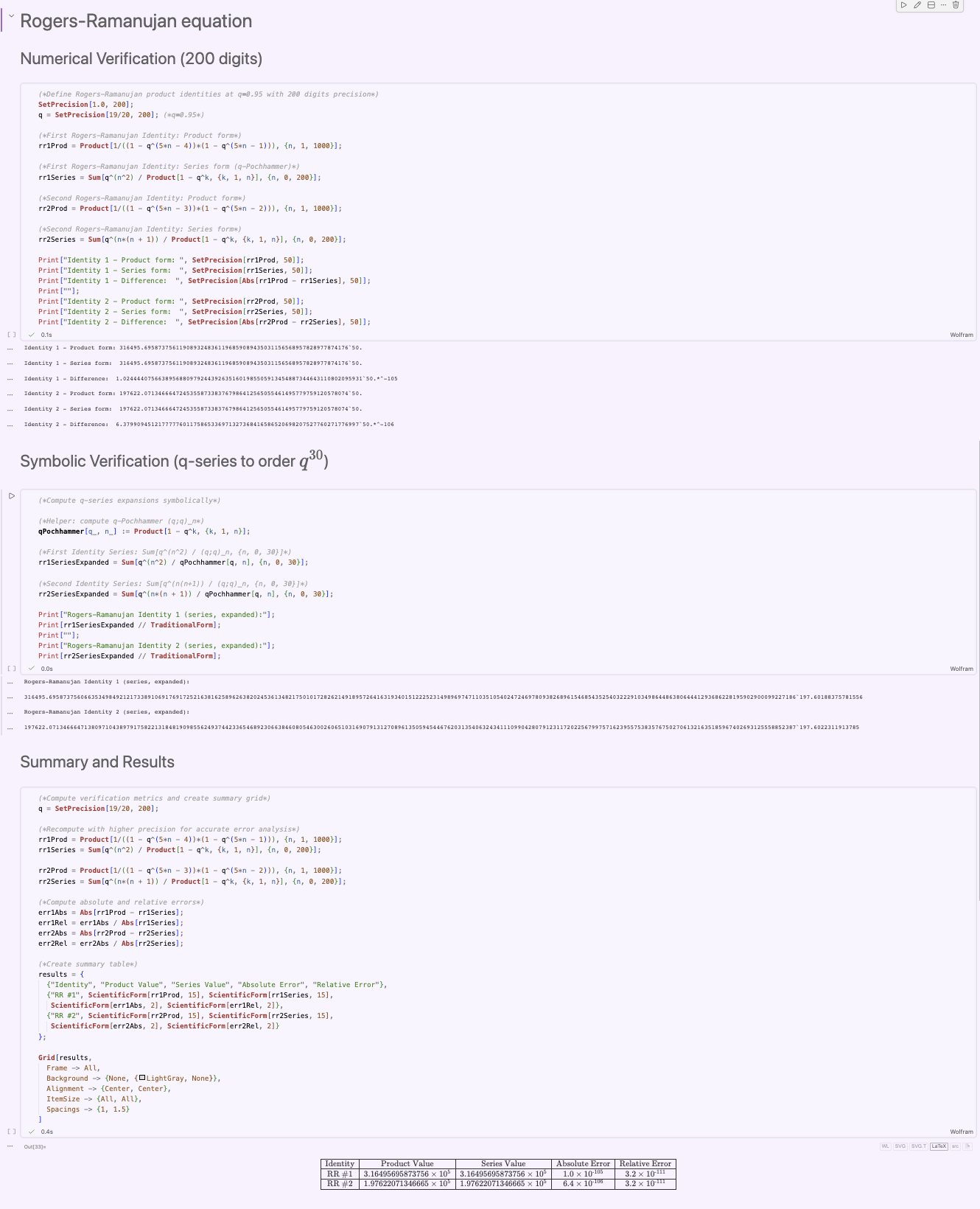
Also works with all leading agents — or any model via Cline, supporting 50+ AI providers via OpenRouter — even DeepSeek 🚀
Wolfbook in the Wild — Emerging Workflows
🚀 Just 1 month old · 800+ downloads on Open VSX, VS Code Marketplace & GitHub · workflows are already emerging
1
Verify, Check & LaTeX-ify
▶Ask agent to check your calculations & boundary cases on the live kernel
▶Agent restarts kernel, verifies all cells run cleanly (or fixes mistakes), writes a verified summary section
▶Generate LaTeX notes from the notebook → push to Overleaf via GitHub, merging with your collaborators
2
Prototype → C++ Paclet
▶Prototype sloppy code in Mathematica — correctness matters, not style
▶Agent rewrites it as a high-performance C++ Mathematica paclet
▶Tests against prototype + intensive additional tests; generates documentation
3
Literature Review → Reproduce
▶Ask for a literature survey — Wolfbook exposes paper-search tools natively
▶Agent finds key results + BibTeX entries with a per-paper summary
▶Next prompt: write a notebook section reproducing all key results
Wolfbook Workflows — Research at Scale
4
LaTeX Equation Checker
▶Ask agent to go through your draft paper
▶It verifies every equation by running it through the Wolfram kernel
▶Annotates the LaTeX source with comments wherever errors are found
5
PhD-Level Project — (Advanced)
▶Start with a well-posed problem (PhD-grade, 1–2 weeks of work)
▶Prepare a detailed .md plan: step-by-step computation with test criteria per stage — just like briefing a PhD student (using Claud Opus in chat mode for example or planing mode of copilot)
▶Add the .md to your workspace, direct the agent to it
▶Agent follows the plan, verifying & testing each stage before proceeding
▶🍽️ Go for lunch — return to a fully solved, tested & documented result (if all goes as planned)
Case Studies — Research Notebooks from a Single Prompt
Each notebook was generated by Copilot agent mode from one initial prompt + a few steers. No manual code writing.
Spin Chain Spectrum
Heisenberg XXX Model
A chain of L spins-21 with nearest-neighbour exchange H=∑iSi⋅Si+1, exactly solvable by the Bethe Ansatz. A twisted boundary condition SL+1±=e±iϕS1± interpolates between periodic and antiperiodic BC — a clean probe of integrability.
💬 PROMPT “Use Wolfbook tools to implement the Heisenberg spin-chain Hamiltonian with quasi-periodic boundary conditions and plot its spectrum for L = 2, 3, 4 as a function of the twist. Then introduce a small non-integrable deformation and make the same plot and compare it with the integrable case.”
What was built:
siteOp[op,k,L] (KroneckerProduct embedding) + Hham[L_,phi_] builds the full 2L×2L matrix. Spectra for L=2,3,4 swept over ϕ∈[0,2π] (80 steps). Then NNN deformation HNI=H+δ∑Si⋅Si+2 (δ=0.3): integrable shows smooth level crossings; non-integrable shows avoided crossings.
The symmetry algebra of the N=4 SYM spin chain (Beisert 2006). Has 14 generators: Lab, Rαβ (bosonic) + Qaα, Sαa (fermionic). Pure psu(2∣2) does not close — Jacobi identities force three central charges C,P,K.
💬 PROMPT “Explore the psu(2|2) superalgebra and its central extension using Mathematica. Load NCAlgebra and set up the generators: bosonic su(2)×su(2) and fermionic supercharges. Verify Jacobi identities for a representative selection of triples. Introduce the three central elements C, P, Q and show the algebra closes only with the central terms.”
What was built:
NCAlgebra loaded; Z2 grading set; super-bracket [A,B}=AB−(−1)∣A∣∣B∣BA implemented as GB0[A,B]. Systematic Jacobi check for all generator triples — 7 identities fail without central terms. Adding {C,P,K} to {Q,S} anticommutator: all close.
Wolfbook tools:
wolfbook_evaluateExpression — kernel scratchpad ×14+ calls to prototype each bracket rule before committing to a cell
Scalar QED: L=(Dμϕ)†Dμϕ−m2∣ϕ∣2−41Fμν2. Compton scattering γϕ→γϕ has 3 tree-level (seagull, s-, u-channel) and 53 one-loop diagrams. Agent installed FeynArts 3.12 and wrote the model file autonomously.
💬 PROMPT “Find an online description of FeynArts and produce pictures for 1-loop Compton scattering in Scalar QED in this notebook. Use Wolfbook tools to test your expressions.”
What was built:
Custom ScalarQED.mod model file (SSV 3-point + SSVV seagull vertices). CreateTopologies + InsertFields for 2→2 scattering. Full 53-diagram 1-loop sheet exported as PNG/PDF; diagrams further split into topology classes (self-energy, vertex, box) with DiagramExtract.
Wolfbook tools:
wolfbook_evaluateExpression — probed kernel; debugged model
The emerging paradigm where AI agents handle the computational heavy lifting while the researcher stays at the level of high-level problem formulation.
Like “vibe coding” — but for mathematical research.
Wolfbook is the natural home for this new way of doing mathematics.
Get Started — Everything is Free
1
Wolfram Engine(skip if you have Mathematica)
Free for non-commercial use. Activate with a free Wolfram ID.
wolfram.com/engine
2
VS Code
Free, all platforms (Windows · macOS · Linux).
code.visualstudio.com
3
Wolfbook extension
Search Wolfbook in the VS Code Extensions sidebar, or use a link on the right. Create test.wb — kernel auto-starts on first Shift+Enter.
Optional: Install the GitHub Copilot extension for full agent-mode AI — free with GitHub Education.